EduMatcher, Educational Trading System
EduMatcher is a multi-process Python trading simulator for learning how exchanges work in practice. It helps you build intuition for order matching, market microstructure, and exchange architecture through a runnable system.
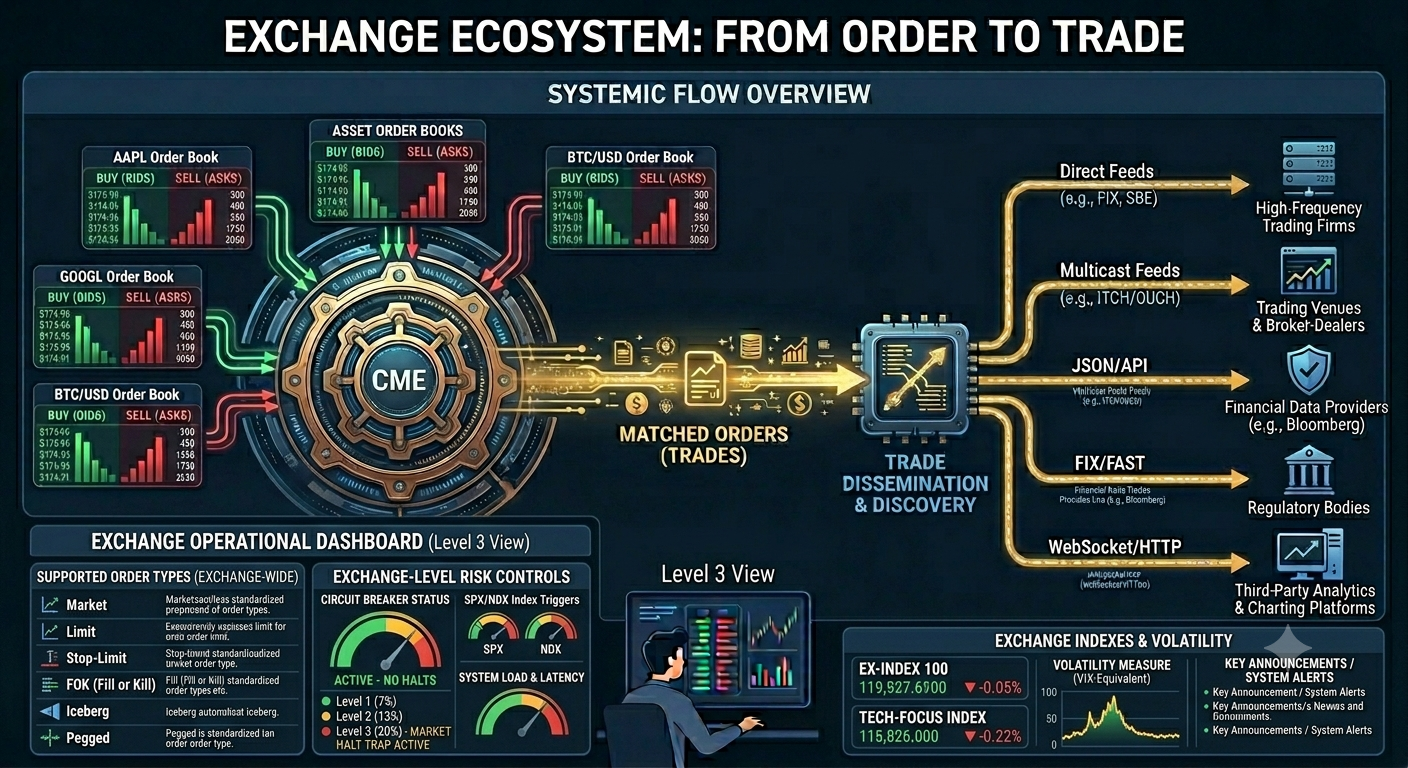 Figure 1: The Exchange with Order Books and the Central Matching Engine (CME).
Start Here
If you are new to exchanges, start with:
- How an Exchange Works. This is a rather large book so for the first you should restrict the reading to Part I & II. The rest can be saved for when you need it.
- Getting Started. This will help you install EduMatcher.
- The Order Book. It cannot be overstated how important it is to thoroughly understand the concept of the Order Book
- Your First Trade. Getting your feet wet before you run the exchange
If you are already familiar with trading, use this quick routing table:
| If you are... | Read this first | Then continue with |
|---|---|---|
| Hands-on user / instructor | Getting Started | Configuration -> Running the Engine -> Processes |
| Developer extending the system | Architecture Overview | Architecture Walkthrough -> Messages -> Developer Info |
| Protocol reader | Protocol Overview | Choose protocol appendix and examples from there |
flowchart TD
  A[New Reader] --> B{New to exchange concepts?}
  B -->|Yes| C[How an Exchange Works]
  B -->|No| D[Getting Started]
  C --> D
  D --> E{Goal?}
  E -->|Run first session| F[Running the Engine]
  E -->|Understand mechanics| G[Concepts]
  E -->|Operate a class demo| H[Processes + Scheduling]
  E -->|Integrate protocols| I[Protocol Overview]
Next step: Open Getting Started and pick either VM bootstrap or pipx install mode.
What This System Models
In a real exchange, buy and sell orders meet in an order book managed by a matching engine. EduMatcher reproduces that stack as separate processes communicating over a message bus, with all key behavior visible for learning and experimentation.
flowchart TD
  GW1[Your terminal<br/>pm-alf-console]
  ENG[Matching engine<br/>pm-engine]
  GW2[Other participants<br/>other pm-alf-consoles]
  VIEW[pm-viewer<br/>live order book]
  CLR[pm-clearing<br/>P&L accounting]
  AUD[pm-audit<br/>full event log]

  GW1 --> ENG
  GW2 --> ENG
  ENG -->|broadcasts trades and fills| VIEW
  ENG -->|broadcasts trades and fills| CLR
  ENG -->|broadcasts trades and fills| AUD
A trade occurs when orders cross, and matching follows price-time priority. Better prices execute first; at the same price, earlier orders execute first.
Next step: Read The Order Book to connect this model to concrete matching behavior.
Reading Path (Beginner-Friendly)
- How an Exchange Works
- Getting Started
- The Order Book
- Your First Trade
- P&L and Clearing
- A Full Trading Day
Next step: Complete steps 1 to 4 first, then run a session and return for steps 5 and 6.
Installation
Note: Running an exchange is an inherent complex task and unfortunately it is only so much that can be simplified. However, going throught the user guide and training material should give a great start!
Self Paced Training
The Training Manual is a chapter-based, self-paced track for hands-on learning. It complements the User Guide by turning concepts into guided exercises that you can run step by step.
If you want direct entry points, start with:
Next step: Use Training Index as your checklist and cross-reference each chapter with the matching User Guide section.